

 1017 Reviews

Days
Hours
Mins
Secs
$49.90 $34.93
100% Clean & Secure
30-Day Money Back Guarantee
100% Clean & Secure
30-Day Money Back Guarantee
Locked out of your iPhone and wondering how to get into a locked iPhone without a passcode? Let Apeaksoft iFoneKit iOS Unlocker help you unlock a disabled iPhone, iPad, or iPod Touch, remove screen locks, and get into a locked iPhone in minutes.
This iPhone unlocker can remove all kinds of screen locks, no matter it's a 4/6-digit passcode, custom numeric code, Touch ID, or Face ID. This iPhone unlocking tool is useful when:
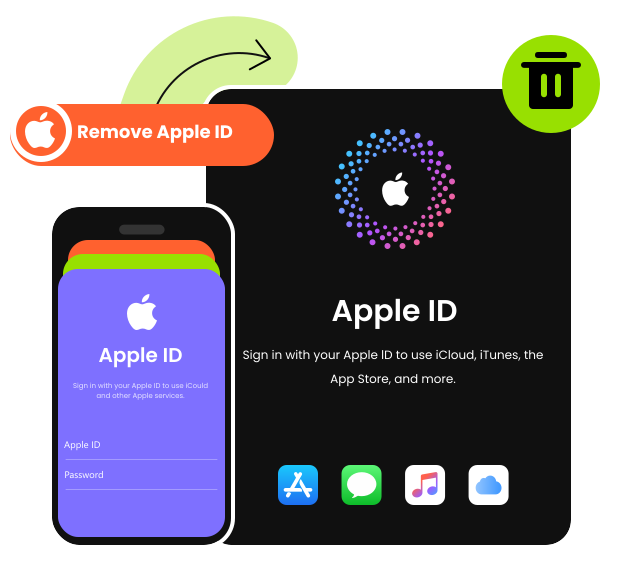
How to remove Apple ID when you forgot your Apple ID password? How to remove Apple ID without a password when you bought a second-hand iPhone or iPad that is still locked to the previous owner's Apple ID?
As a versatile iPhone unlocker tool, Apeaksoft iFoneKit iOS Unlocker enables you to delete Apple ID from iPhone/iPad in simple steps, with no need to contact the original owner or complete official Apple account recovery. After removal, you can sign in with a brand-new Apple ID and enjoy all Apple services. It works when:
Note: Please DO NOT use "Erase All Content and Settings" or restore your iPhone/iPad from iTunes/iCloud backup after removing the Apple ID successfully. Otherwise, the iCloud Activation Lock may be triggered, and you will need to enter the original Apple ID and password to activate the device again.
How to bypass MDM on iPhone when you are stuck at the Remote Management login screen? This iPhone unlocker lets you bypass MDM on iPhone/iPad quickly and safely without data loss for normally activated devices you legally own. Whether your device is locked by MDM or restricted by a management profile, this MDM removal tool can:
Note: Please DO NOT reset or flash your device after removing the MDM, or the device will be locked by MDM again.
Remove iTunes Backup Encryption
If you have set an encryption password for your iTunes/Finder backups but forgotten it, you won't be able to access the encrypted backup files, create new encrypted backups, or disable backup encryption in iTunes or Finder.
This iOS unlocker tool can help you easily remove iTunes backup encryption password in one click.

Unlock & Remove Screen Time Password
When your device shows Screen Time restrictions, this iPhone unlocker enables you to remove forgotten Screen Time passcode with no data loss when you forget your Screen Time password.
Before removing the Screen Time passcode, you need to turn off Find My iPhone/iPad to ensure the process works properly.

Unlock Carrier Network Restrictions
If your iPhone is locked to a carrier, Apeaksoft iFoneKit iOS Unlocker can help you get past iPhone lock and enable you to use SIM cards from different operators without any network restriction hassle-free.
With this powerful SIM unlocker, you can easily switch carriers, travel abroad, or use local SIM cards anytime, without any restrictions.

100% Clean & Secure
30-Day Money Back Guarantee
100% Clean & Secure
30-Day Money Back Guarantee

Download and install.

Choose an unlocking mode.
Get your iPhone unlocked!


Noah Bennett

I forgot my passcode and had no idea how to get my iPhone unlocked without passcode. This iOS unlocking tool worked exactly as promised. It helped me unlock my disabled iPhone in minutes with no hassle. Super easy and reliable.

Ryan C.
I needed to remove Apple ID from my old iPhone, but I forgot my Apple ID password, and this iPhone unlocker did it perfectly. I was able to remove the iCloud account without password and set up a new one easily. Highly recommended.

Henry Foster
My device was stuck on the Remote Management screen, and I couldn’t use it at all. This iPhone unlocker software helped me bypass MDM on my iPhone without a password quickly. Now everything works as normal.
FAQs
Is it safe to use iPhone unlock software like Apeaksoft iOS Unlocker?
Yes, Apeaksoft iOS Unlocker is safe to use. But there are different precautions for different unlocking features. We suggest you read them carefully to judge whether this unlocking tool supports your situation before using it to unlock your device.
Can I unlock a disabled iPhone?
Yes. You can unlock a disabled iPhone by removing the passcode using a professional iPhone unlock tool like Apeaksoft iFoneKit iOS Unlocker. The process is quick and requires no technical skills. This iPhone unlocker also fixes issues such as iPod is disabled, connect to iTunes, iPhone Unavailable, and iPad Unavailable.
Can I remove Apple ID without password?
Yes. Apeaksoft iOS Unlocker can remove Apple ID without password and help you regain access to your device and Apple services.
Can I unlock my iPhone without losing data?
It depends on the lock type you want to remove. If you want to wipe the lock-screen passcode, remove Apple ID password or bypass iCloud Activation Lock, all the data and settings will be erased after the lock is removed. But if you want to remove MDM or Screen Time password, your data will be safe and sound.
How can I tell if Apeaksoft iOS Unlocker can unlock my iPhone?
You can have this iPhone unlock software free download to test whether it supports your device. You can also contact our support team by sending an email to support@apeaksoft.com to describe your problem for suggestions.
How to check if iPhone is unlocked?
You can go to Settings > General > About. Scroll up and find the Carrier Lock option. If it says No SIM restrictions, it means your iPhone is unlocked. You can also test with a SIM card from another carrier for confirmation.
How do I disable lock screen on iPhone?
If you are using iPhone X or later, go to Settings > Face ID & Passcode. If you are using earlier iPhone devices, go to Settings > Touch ID & Passcode to disable lock screen on iPhone. On devices without Touch ID, go to Settings > Passcode, then tap Passcode to turn off lock screen on iPhone.
What types of locks can Apeaksoft iOS Unlocker unlock?
This tool supports Screen lock (digital password, Face ID, Touch ID), Apple ID/iCloud lock, Screen Time password, iTunes backup encryption, and SIM lock.
Which devices are supported?
This iPhone unlocker is compatible with most iPhone, iPad, and iPod devices, covering the latest iOS system and mainstream older systems. You can check our Tech-Spec page for more details.
Is it legal to unlock iPhone using Apeaksoft iFoneKit iOS Unlocker?
It is legal only for iOS devices you legally own. Unlocking others' devices without authorization will violate local laws and Apple's terms of service. All operations are at your own risk.

Unlock iPhone screen passcode, MDM, Apple ID, Screen Time, iTunes encryption settings without password. Available for iPhone, iPad and iPod touch.
100% Clean & Secure
30-Day Money Back Guarantee
100% Clean & Secure
30-Day Money Back Guarantee
Copyright © 2026 Apeaksoft Studio. All rights reserved.